Smart Scopes
Smart Scopes are saved filters with a name and icon. They live in the sidebar just like collections, but instead of a hand-picked list they show every book that matches a set of rules - and the results update automatically as your library changes.
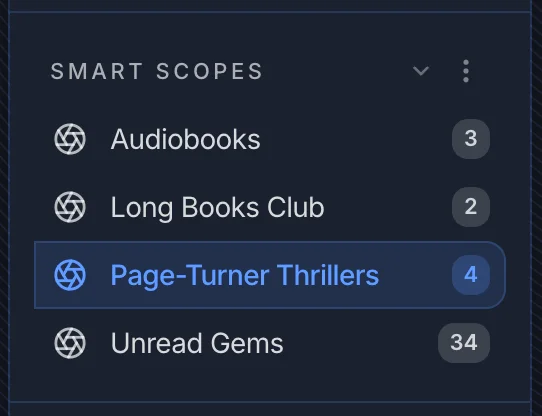
Creating a Smart Scope
Click the three-dot menu next to SMART SCOPES in the sidebar and choose New Smart Scope.
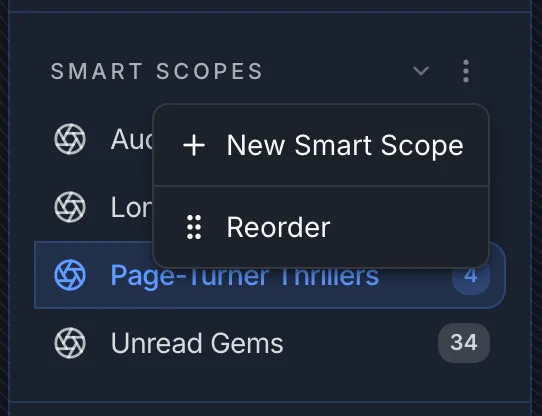
Enter a name, pick an icon, and optionally check Visible to all users if you want other users on your instance to see this scope in their sidebar too. After creating, you land on the scope's detail page where you configure the actual rules.
The scope editor
Click Edit on any scope's page to open the editor panel.
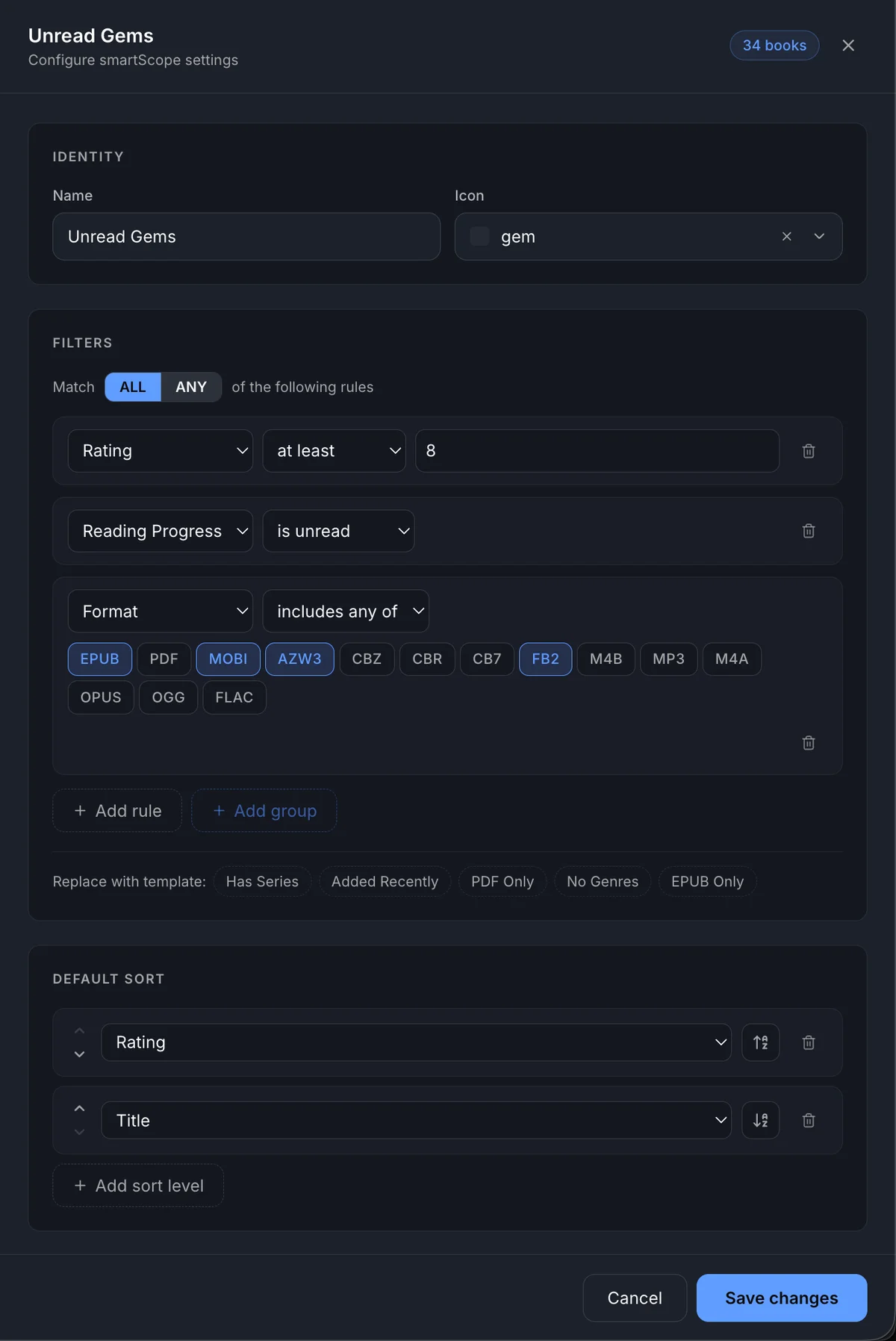
The editor has three sections:
- Identity - name and icon
- Filters - the rules that decide which books appear
- Default Sort - how the results are ordered when you open the scope
A live book count updates in the top-right corner as you change the filters, so you always know how many books match before saving.
Building filters
Every filter is a rule with three parts: a field, an operator, and a value.
Fields
| Field | What it matches |
|---|---|
| Title, Author, Publisher, Series | Text fields |
| Genre, Tag | Multi-value labels |
| Format | File type (epub, azw3, mobi, pdf, cbz, m4b, ...) |
| Language | Book language |
| Page Count, Series Index | Numbers |
| Published Year | Year of publication |
| Rating | Your star rating (1-10) |
| Reading Progress | Unread / In Progress / Finished |
| Added At | When the book was added to your library |
| Cover | Whether a cover image is present or missing |
| File Availability | Whether the file is present or missing on disk |
| Collection | Whether the book belongs to a specific collection |
| Library | Which library the book is in |
| Description, ISBN | Presence checks |
| Metadata Score | Internal quality score for auto-fetched metadata |
Groups: ALL vs ANY
Rules are grouped. A group set to ALL means every rule inside it must match (AND logic). A group set to ANY means at least one rule must match (OR logic).
Click + Add group to nest a sub-group inside the current group. This is how you build complex queries like "Thriller OR Mystery, AND rating at least 7, AND unread". Groups can be nested up to 5 levels deep.
Quick-start templates
When a scope has no filters yet, the editor shows five one-click templates to get you started:
- Has Series - any book that belongs to a series
- Added Recently - added in the last 30 days
- PDF Only - format is PDF
- No Genres - genre field is empty
- EPUB Only - format is EPUB
After you have filters set, the templates appear as small chips below the rule builder so you can quickly replace the whole filter with one click.
Default sort
Add one or more sort levels. If two books tie on the first sort field, the second is used as a tiebreaker. The sort icon toggles between ascending and descending.
Scope detail
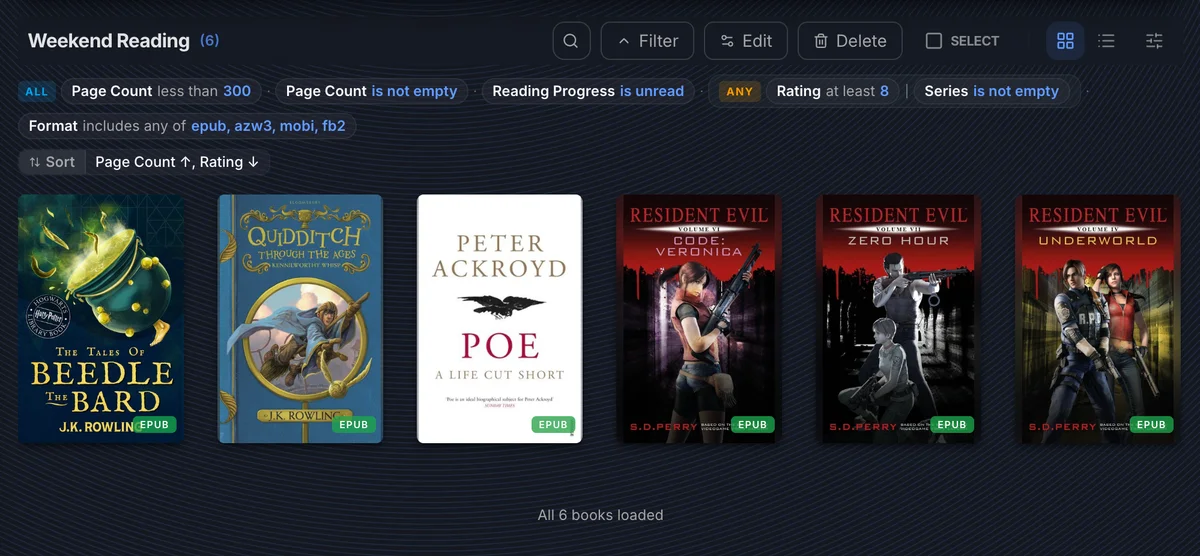
The scope detail page shows all matched books. A collapsible summary at the top shows the active filter rules and sort order at a glance - click it to expand or collapse. Click Edit to open the editor and change the scope permanently.
Example scopes
Here are some ready-to-use ideas ranging from simple to complex.
Audiobooks
Books in audio format only.
| Field | Operator | Value |
|---|---|---|
| Format | includes any of | m4b, mp3, m4a |
Recently Added Ebooks
Ebooks added in the last two weeks. When you set the "within last" operator the UI lets you enter a number and pick days, weeks, or months.
| Field | Operator | Value |
|---|---|---|
| Format | includes any of | epub, azw3, mobi, fb2 |
| Added At | within last | 2 weeks |
Unread Gems
Highly-rated books you haven't started yet.
Match ALL:
| Field | Operator | Value |
|---|---|---|
| Rating | at least | 8 |
| Reading Progress | is unread | - |
| Format | includes any of | epub, azw3, mobi, fb2 |
Long Books Club
Ebooks over 500 pages with a cover.
Match ALL:
| Field | Operator | Value |
|---|---|---|
| Page Count | greater than | 500 |
| Format | includes any of | epub, azw3, mobi, fb2 |
| Cover | is present | - |
Page-Turner Thrillers
Rated thrillers and mysteries published after 2010.
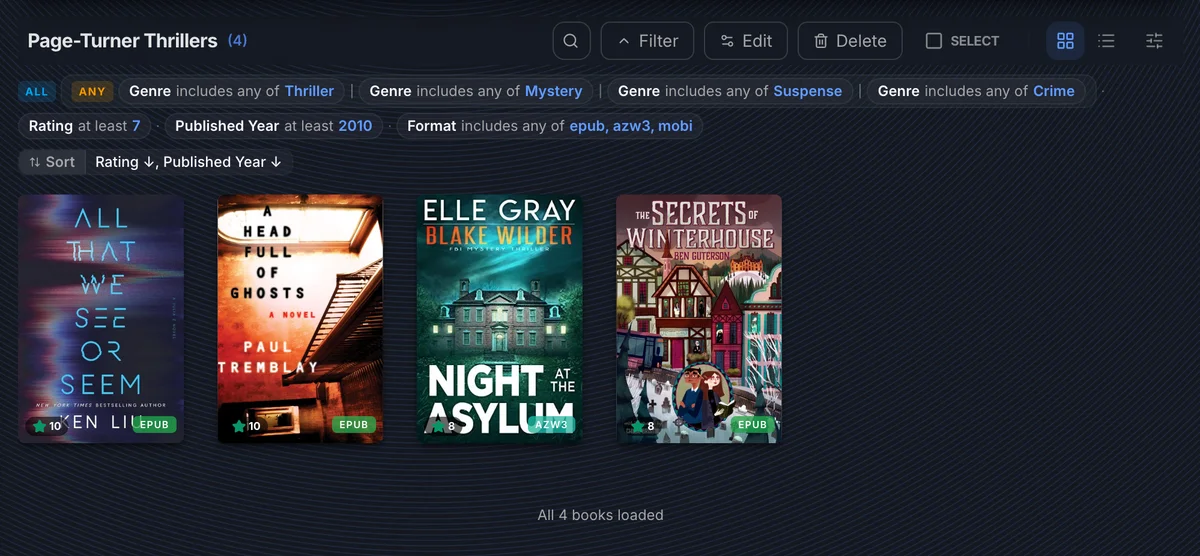
Match ALL:
- Nested ANY group:
- Genre includes any of: Thriller
- Genre includes any of: Mystery
- Genre includes any of: Suspense
- Genre includes any of: Crime
- Rating at least 7
- Published Year at least 2010
- Format includes any of: epub, azw3, mobi
Weekend Reading
Short unread books - either highly rated or part of a series.
Match ALL:
- Page Count less than 300
- Page Count is not empty
- Reading Progress is unread
- Nested ANY group:
- Rating at least 8
- Series is not empty
- Format includes any of: epub, azw3, mobi, fb2
Save as Smart Scope
From the main library view, you can build a temporary filter using the Filter button and then click Save as Smart Scope to turn that filter into a permanent named scope. This is a quick way to create scopes without going through the editor panel - just filter until the results look right, then save.
Public scopes
When creating a scope, checking Visible to all users adds it to every user's sidebar. Public scopes are read-only for non-owners - other users see the results but cannot edit or delete the scope. This setting can only be chosen at creation time - it cannot be changed in the editor panel afterwards.
TIP
Public scopes are great for shared-instance setups - create a "New Arrivals" or "Staff Picks" scope once and everyone benefits.
Reordering scopes
Click the three-dot menu next to SMART SCOPES and choose Reorder. Drag into the order you want.
Smart Scopes vs Collections
| Collections | Smart Scopes | |
|---|---|---|
| How books are added | Manually, one by one or in bulk | Automatically, by rules |
| Updates when library changes | No - you manage the list | Yes - always live |
| Kobo sync support | Yes | No |
| Good for | Curated series, reading groups, fixed playlists | Dynamic filters, ongoing discovery |