Metadata
BookOrbit pulls metadata from nine providers and gives you precise control over how each field gets populated. Configure your sources once, tune the rules to match your collection, and let auto-fetch keep everything current.
Providers
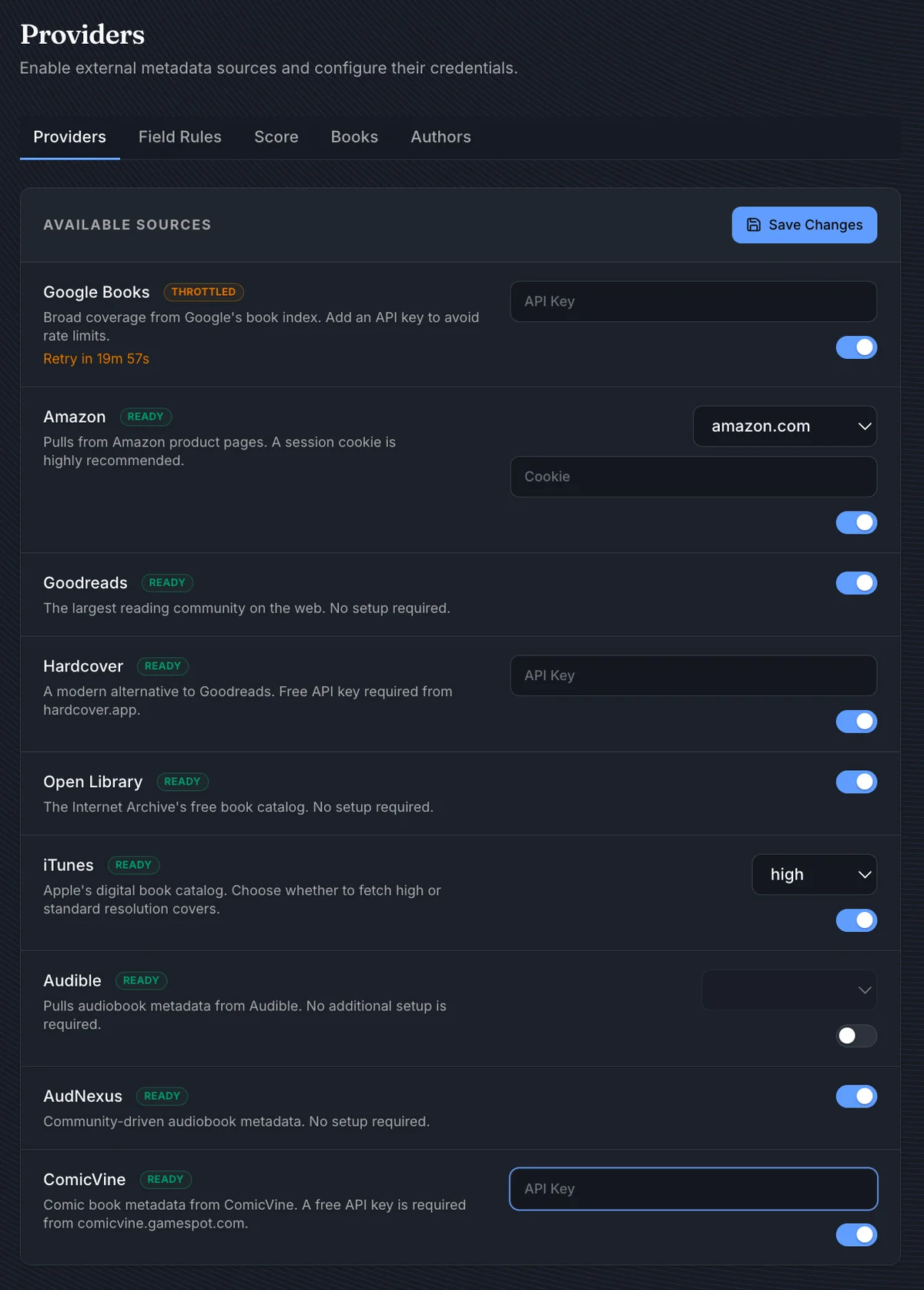
| Provider | Credentials | Notes |
|---|---|---|
| Google Books | API key (optional) | Without a key, requests are rate-limited by IP |
| Amazon | Domain + session cookie | Strongly recommended - unauthenticated requests are frequently blocked |
| Goodreads | None | |
| Hardcover | API key | From hardcover.app |
| Open Library | None | |
| iTunes | None | Configurable cover resolution: standard or high |
| Audible | None | Region selector for non-US storefronts |
| AudNexus | None | Community audiobook metadata; the only author enrichment source |
| ComicVine | API key | From comicvine.gamespot.com |
A provider shows Setup Required until its credentials are entered, and Throttled (with a retry countdown) if the provider rate-limits BookOrbit.
Field Rules
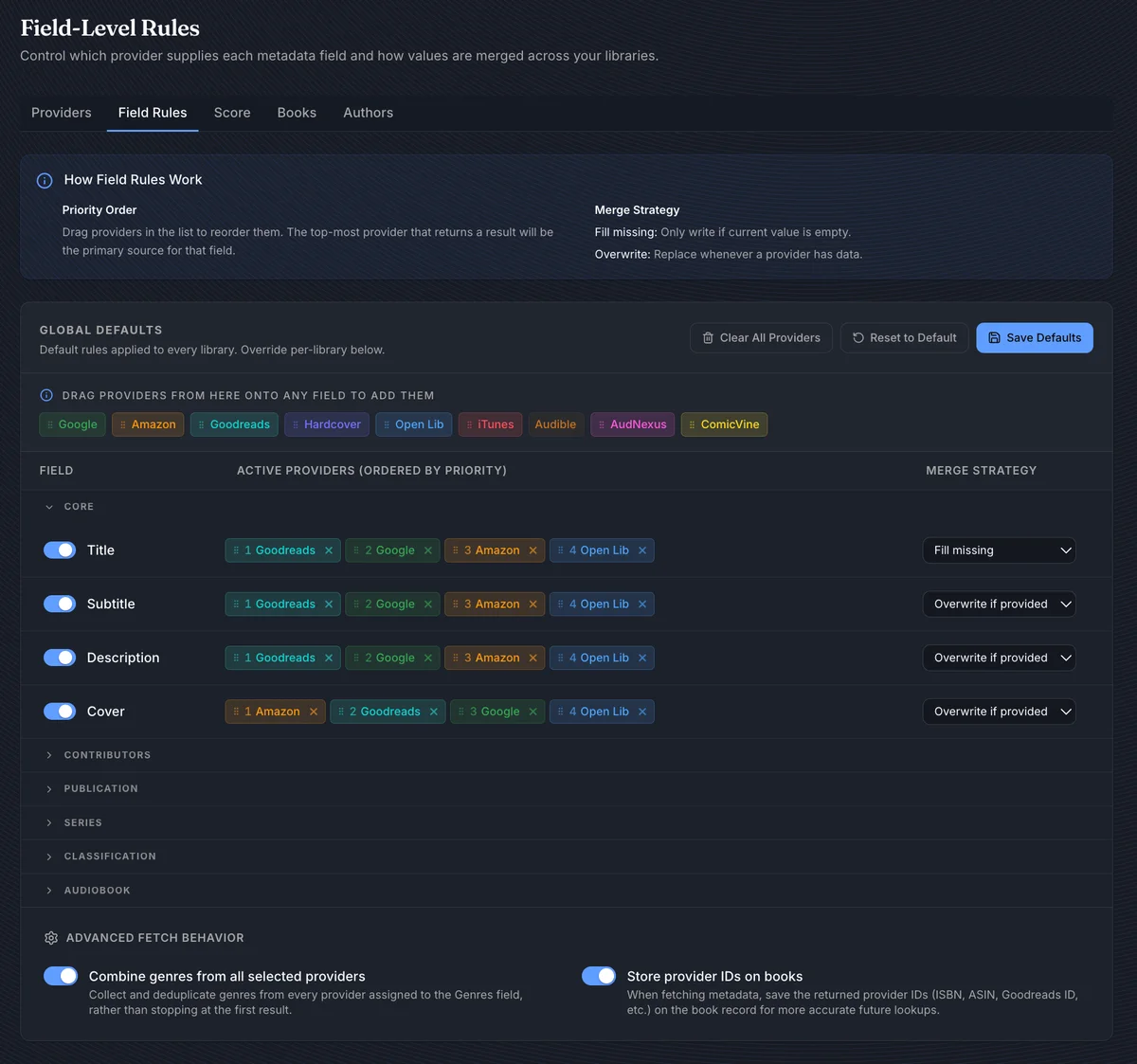
Field Rules control exactly what BookOrbit does with each metadata field. Each field row has three controls:
- An enable toggle - when off, that field is never written regardless of other settings
- A provider priority list - drag providers in from the reservoir at the top, then drag within the row to reorder. The first provider that returns a value wins.
- A merge strategy:
| Strategy | Behavior |
|---|---|
| Fill missing | Writes only when the field is currently empty |
| Overwrite if provided | Replaces the existing value when a provider returns something |
| Always overwrite | Always replaces, no matter what |
Title defaults to Fill missing to protect manual edits. Cover defaults to Amazon and iTunes first, since they tend to have better images.
Two options below the field table are worth enabling for most setups:
- Combine genres from all providers - merges genres across every enabled provider instead of stopping at the first result
- Store provider IDs - saves external identifiers (Google Books ID, Goodreads ID, ASIN, etc.) on each book, making future fetches more accurate
Library overrides
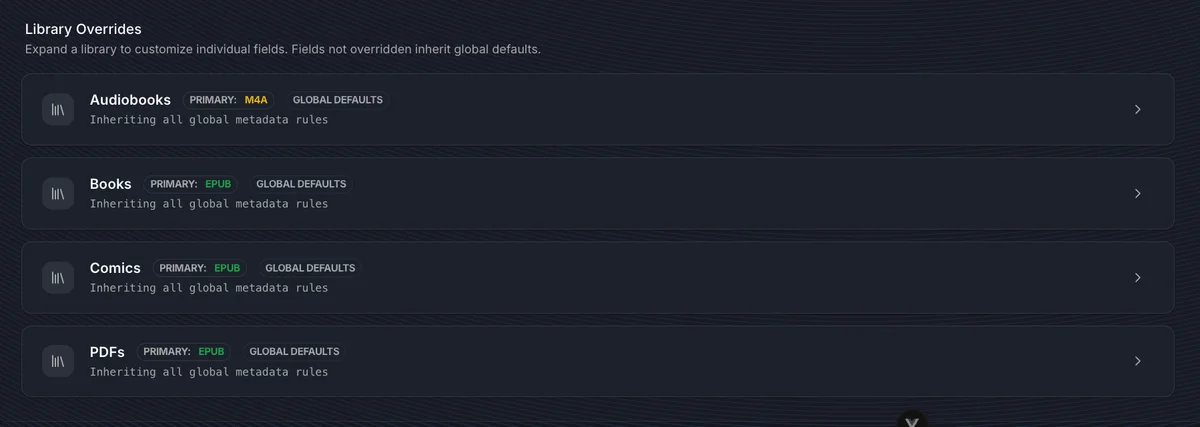
Libraries inherit the global defaults. Expand a library's panel to override individual fields - only those fields diverge; everything else continues to inherit. Each overridden field has a Revert button.
Score
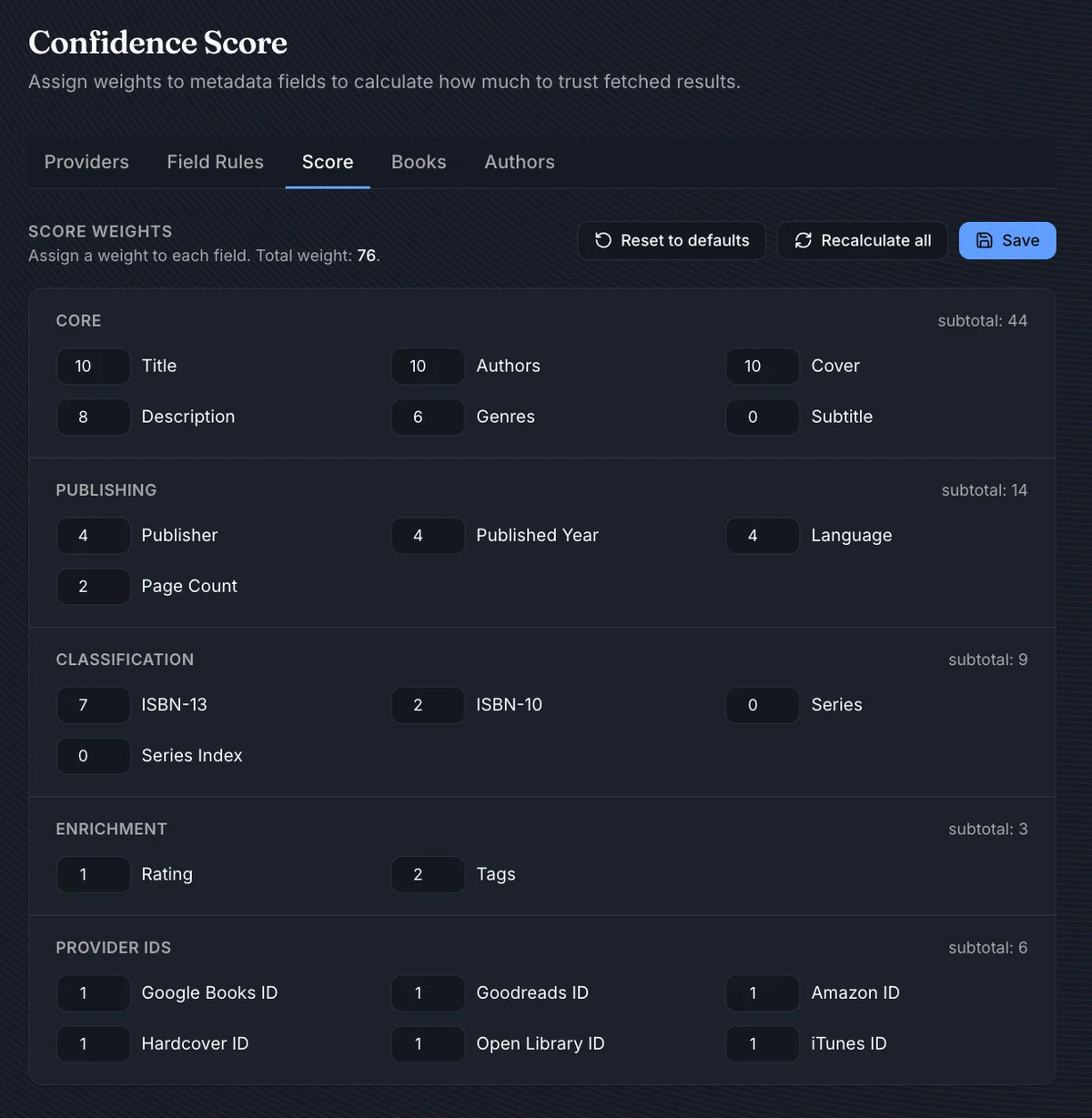
Every book gets a completeness score from 0 to 100. It shows on book cards as a quality indicator and is what auto-fetch uses to decide which books need attention.
By default, title, authors, and cover carry the most weight (10 each), followed by description (8), ISBN-13 (7), and genres (6). Publisher, year, language, and page count contribute modestly. Series, subtitle, and series index are 0 by default - they're tracked but never penalize the score. You can adjust any weight directly in the UI.
After adjusting weights, Recalculate all updates every book in the background. Score weights are global - there are no per-library overrides.
Auto-Fetch
Auto-fetch keeps your library's metadata current without manual effort. There are two independent pipelines: one for books, one for authors.
Books
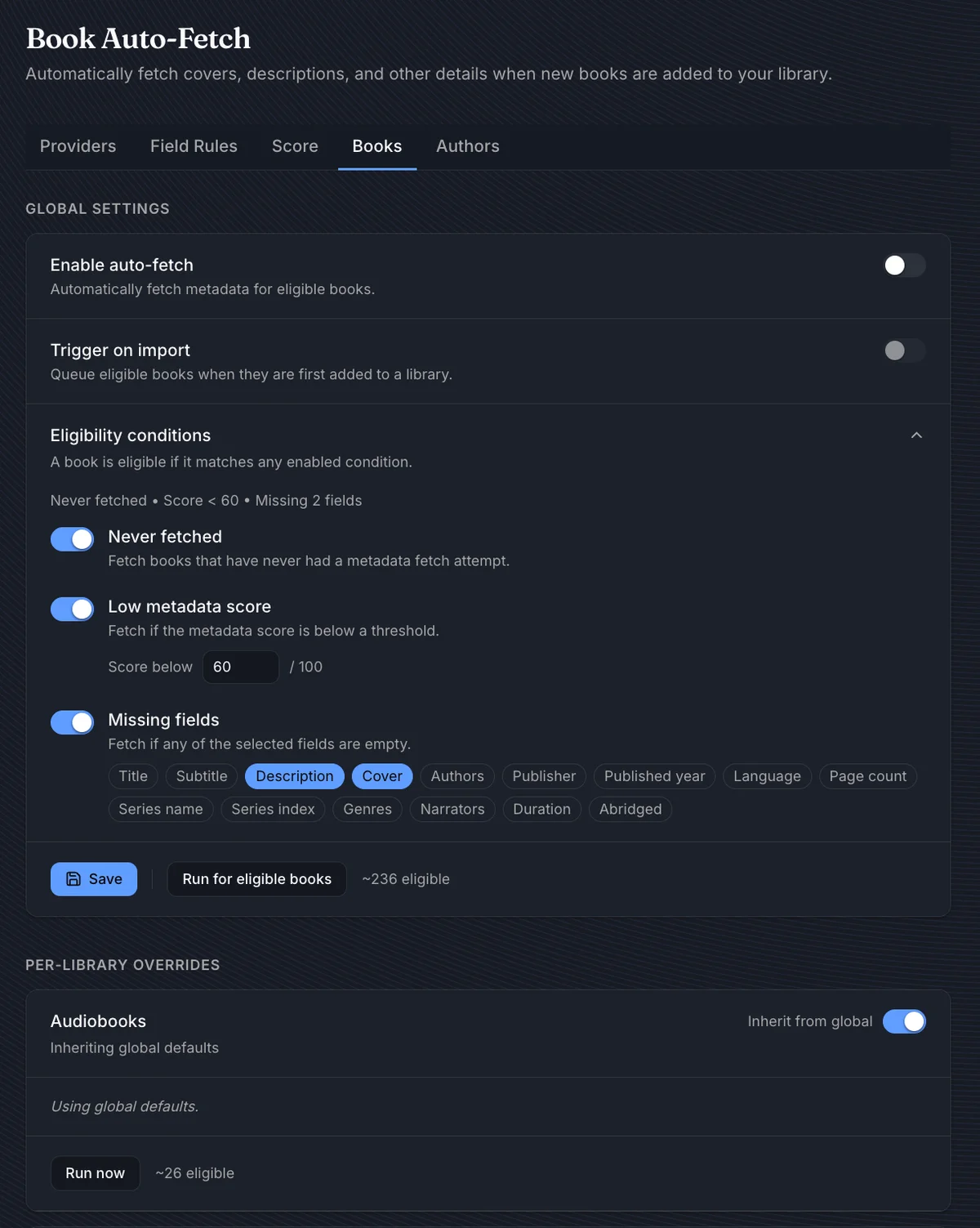
When enabled, Trigger on import queues a book for metadata the moment it enters a library. A book is eligible if it matches any active condition:
| Condition | Default threshold |
|---|---|
| Never fetched | - |
| Low score | Below 60 |
| Missing fields | Description, Cover |
Run for eligible books queues all qualifying books immediately - useful for a first-time enrichment pass or after tightening the conditions. The button shows an estimated count as you adjust.
Each library can diverge from global. Expand its panel and turn off Inherit from global to give it its own eligibility rules, a Run now button, and last-run stats.
Authors
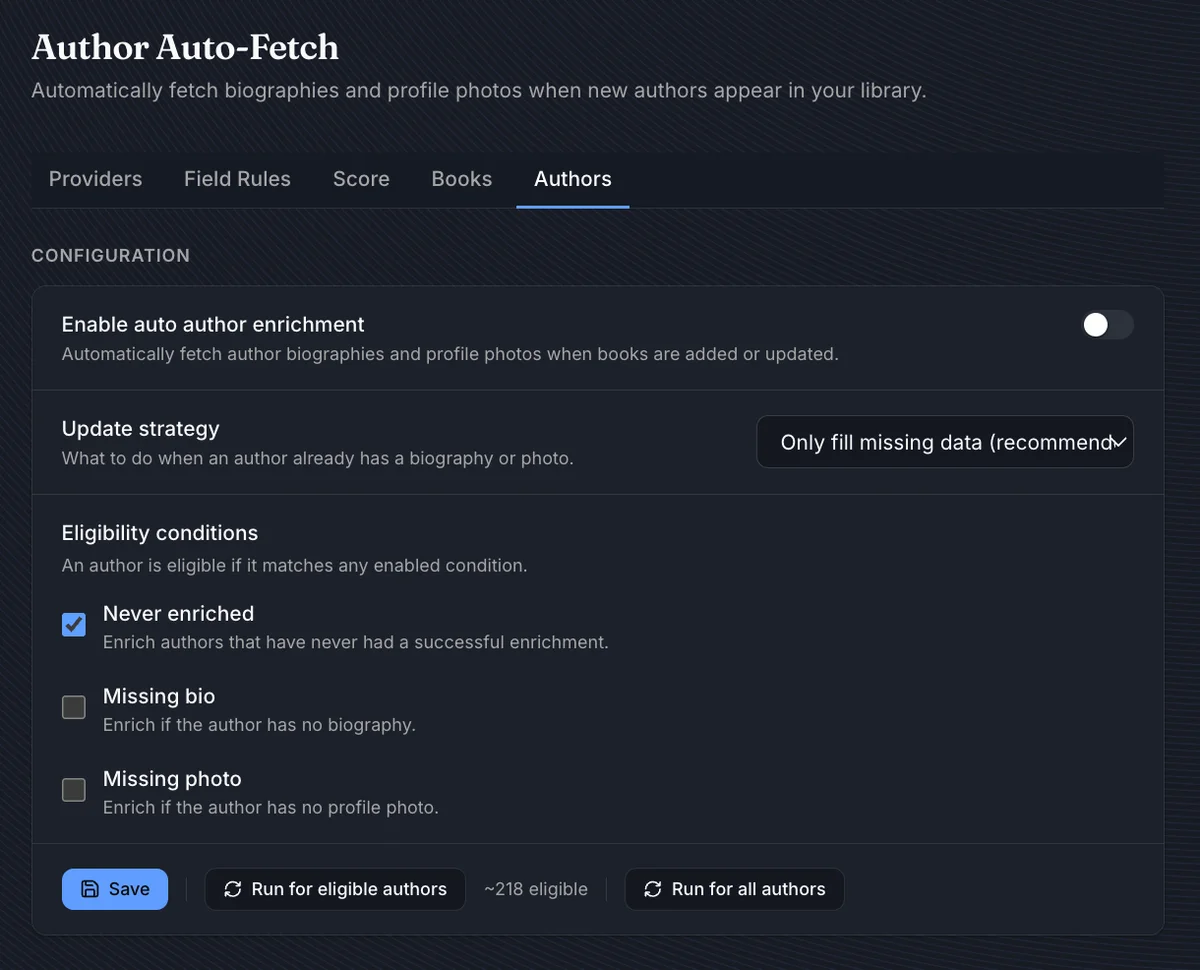
Author enrichment fetches biographies and profile photos via AudNexus. When enabled, Trigger on import enriches new authors as books are added.
| Update strategy | Behavior |
|---|---|
| Only fill missing (recommended) | Skips fields the author already has |
| Always refresh | Overwrites biography and photo unconditionally |
Eligibility follows the same pattern: conditions for never-enriched authors, those missing a bio, or those missing a photo. Run for all authors ignores conditions and queues everyone.
WARNING
Run for all authors with Always refresh will overwrite all existing author biographies and photos.
Per-book controls
Individual books have their own controls on the Edit Metadata tab: Search online, Auto-fill, Load from file, and Field locks. See Book Details & Viewer for the full per-book workflow including cover editing and provider comparison.
While a fetch queue is running, a status widget in the bottom-right corner shows the current book and overall progress, with Pause, Resume, and Cancel controls.