OPDS
Settings > OPDS exposes your BookOrbit library as a private OPDS catalog for reader apps such as KOReader, Thorium Reader, Moon+ Reader, and similar OPDS-compatible clients.
KOReader can use OPDS for browsing and downloads, but BookOrbit's dedicated KOReader Sync page handles progress sync and device pairing.
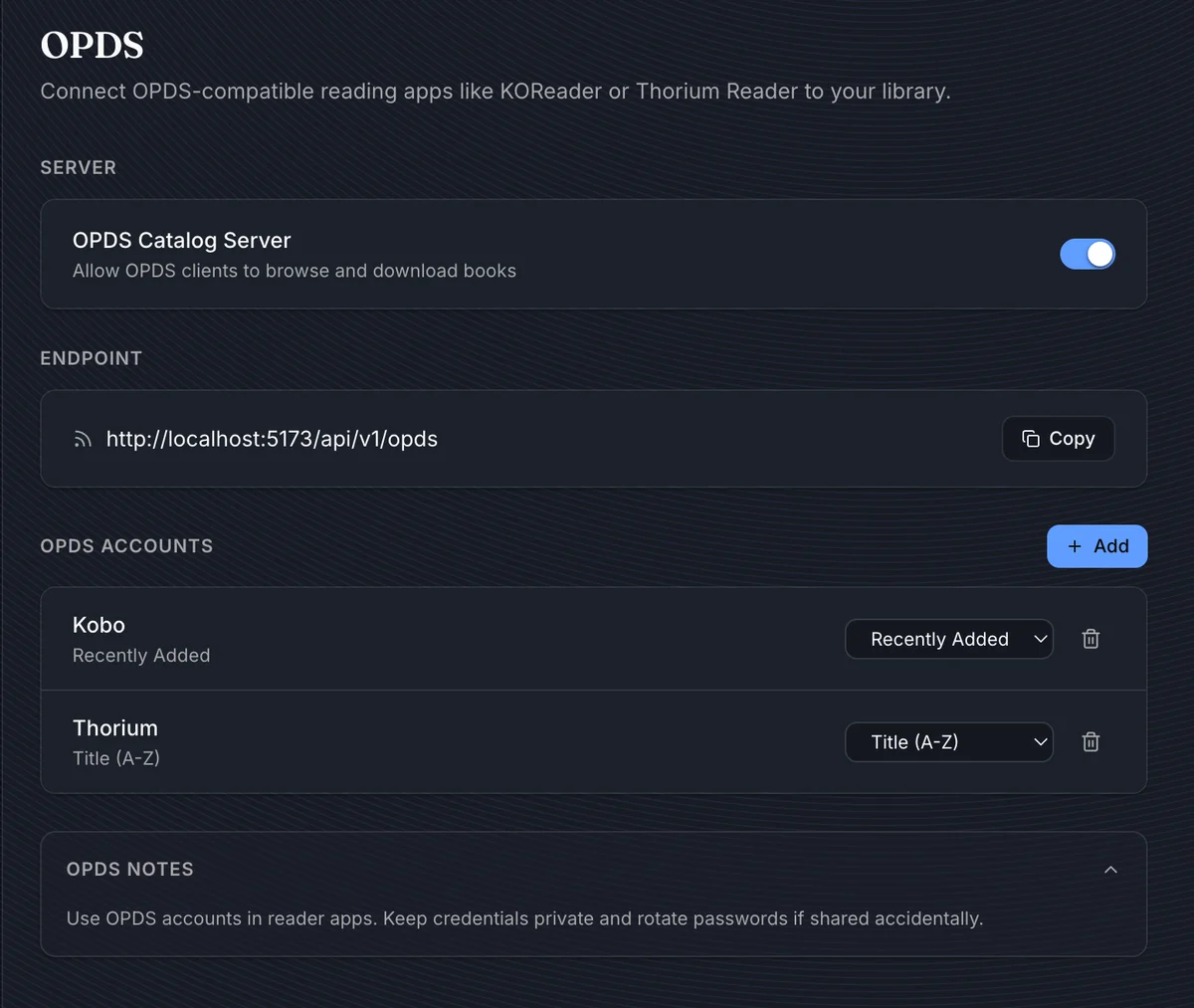
Setup Checklist
For a working OPDS setup:
- Give the BookOrbit user the
opds_accesspermission. - Open Settings > OPDS.
- Enable the OPDS Catalog Server if it is disabled.
- Copy the endpoint URL.
- Create an OPDS account with a username, password, and default sort order.
- Add the copied endpoint to your reader app and sign in with the OPDS account credentials.
TIP
Use a URL your reader can actually reach. If the reader is outside your machine, localhost will not work; use your LAN address, domain name, or reverse-proxy URL instead.
Permissions
OPDS access is permission-gated before a catalog request can see any books.
| Permission | Access |
|---|---|
opds_access | Opens Settings > OPDS, manages the user's OPDS accounts, and allows OPDS catalog authentication. |
manage_app_settings | Shows the global OPDS server toggle. |
| Superuser | Can browse all libraries through OPDS. Non-superusers only see libraries assigned to them. |
If the parent BookOrbit user is disabled or loses opds_access, all OPDS accounts attached to that user stop working.
Endpoint
The endpoint shown on the page points to:
/api/v1/opdsThe full URL is built from the current BookOrbit origin, for example:
https://books.example.com/api/v1/opdsUse this URL as the catalog address in your reader app. BookOrbit serves OPDS XML from that endpoint and uses the same base path for catalog sections, cover images, thumbnails, and downloads.
WARNING
The OPDS Catalog Server toggle is global. When it is off, all OPDS catalog requests are rejected, even if the account credentials are correct.
OPDS Accounts
OPDS accounts are separate from normal BookOrbit login credentials. Create one account per app or device when you want easy revocation.
| Field | How to choose it |
|---|---|
| Username | A short client-specific name, such as koreader or thorium. Usernames are globally unique and must be at least 3 characters. |
| Password | The password the OPDS client will use for Basic authentication. It must be at least 8 characters. |
| Default Sort | The order used when the client opens the main catalog or a filtered catalog view. |
BookOrbit stores only a password hash and does not show the password again. If credentials are shared accidentally, delete the OPDS account and create a replacement.
Sort Orders
| Sort order | Behavior |
|---|---|
| Recently Added | Newest books first. |
| Title (A-Z) | Sorts by book title ascending. |
| Title (Z-A) | Sorts by book title descending. |
| Author (A-Z) | Sorts by first author sort name, then title. |
| Author (Z-A) | Sorts by first author sort name descending, then title. |
| Series (A-Z) | Sorts by series name, then series index. |
| Series (Z-A) | Sorts by series name descending, then series index. |
Changing the sort order affects future OPDS catalog responses for that account.
Catalog Contents
The OPDS catalog only exposes books the parent BookOrbit user can access.
BookOrbit includes:
- Books with status
present. - Books in libraries assigned to the parent user, unless the user is a superuser.
- The book's primary file as the acquisition download.
- Cover and thumbnail links when the book has cover art.
- Metadata such as title, authors, description, series, language, publisher, and ISBN when available.
BookOrbit does not expose deleted or unavailable books through OPDS.
Browse Sections
The root catalog links to:
| Section | What it shows |
|---|---|
| All Books | Full accessible catalog. |
| Recent Books | Recently added books. |
| Random Books | 25 random accessible books. |
| Libraries | Accessible libraries with book counts. |
| Collections | The user's collections. |
| SmartScopes | The user's saved SmartScopes. |
| Authors | Author list based on accessible books. |
| Series | Series list based on accessible books. |
Search is also advertised through the OPDS search description. Search currently matches book titles.
Downloads
When a reader downloads a book, BookOrbit checks access again and streams the primary file from disk. The download filename is built from the title and first author when possible.
Supported OPDS MIME mappings include EPUB, PDF, MOBI, AZW3, FB2, CBZ, and CBR. Unknown formats are served as a generic binary download.
Reader App Notes
Most OPDS clients ask for three values:
| Client field | Value |
|---|---|
| Catalog URL | The endpoint from Settings > OPDS. |
| Username | The OPDS account username, not your BookOrbit username unless you intentionally made them the same. |
| Password | The OPDS account password created on this page. |
If a reader app has separate choices for OPDS version or authentication type, use OPDS/Atom catalog and Basic authentication.
Troubleshooting
| Symptom | Check |
|---|---|
| Client asks for credentials repeatedly | Confirm the OPDS account username/password and make sure the parent user still has opds_access. |
| Catalog returns disabled or forbidden | Enable the OPDS server and confirm the account belongs to an active user. |
| Catalog opens but has no books | Confirm the user has access to at least one library with present books. |
| A specific book is missing | Confirm the book is present, belongs to an accessible library, and has a primary file. |
| Covers do not load | Confirm the BookOrbit URL is reachable from the reader and that your reverse proxy allows image requests under /api/v1/opds. |