
Metadata
BookOrbit pulls metadata from nine providers and gives you precise control over how each field gets populated. Configure your sources once, tune the rules to match your collection, and let auto-fetch keep everything current.
Providers
Section titled “Providers”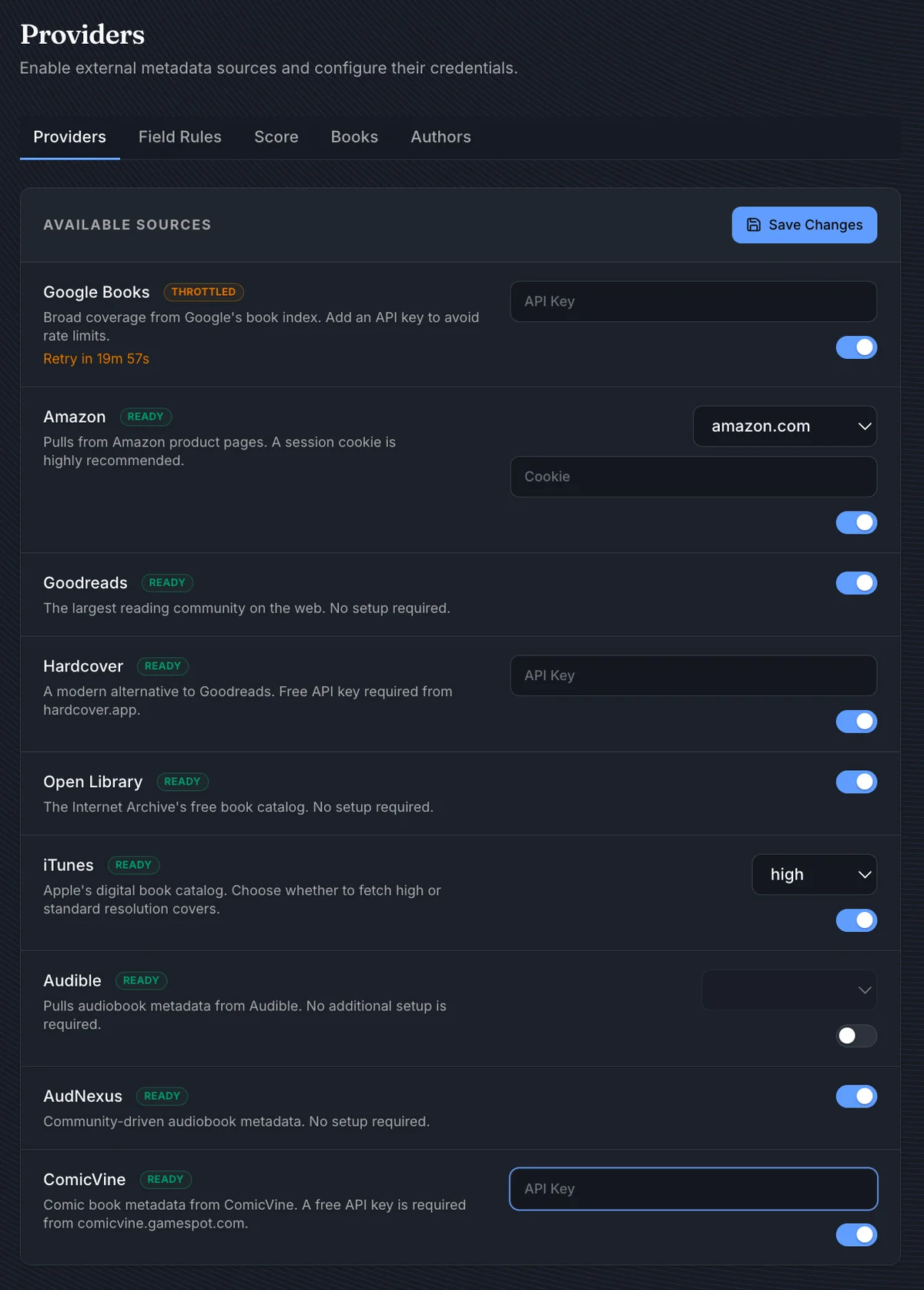
| Provider | Credentials | Notes |
|---|---|---|
| Google Books | API key (optional) | Without a key, requests are rate-limited by IP |
| Amazon | Domain + session cookie | Strongly recommended - unauthenticated requests are frequently blocked |
| Goodreads | None | |
| Hardcover | API key | From hardcover.app |
| Open Library | None | |
| iTunes | None | Configurable cover resolution: standard or high |
| Audible | None | Region selector for non-US storefronts |
| AudNexus | None | Community audiobook metadata; the only author enrichment source |
| ComicVine | API key | From comicvine.gamespot.com |
A provider shows Setup Required until its credentials are entered, and Throttled (with a retry countdown) if the provider rate-limits BookOrbit.
Field Rules
Section titled “Field Rules”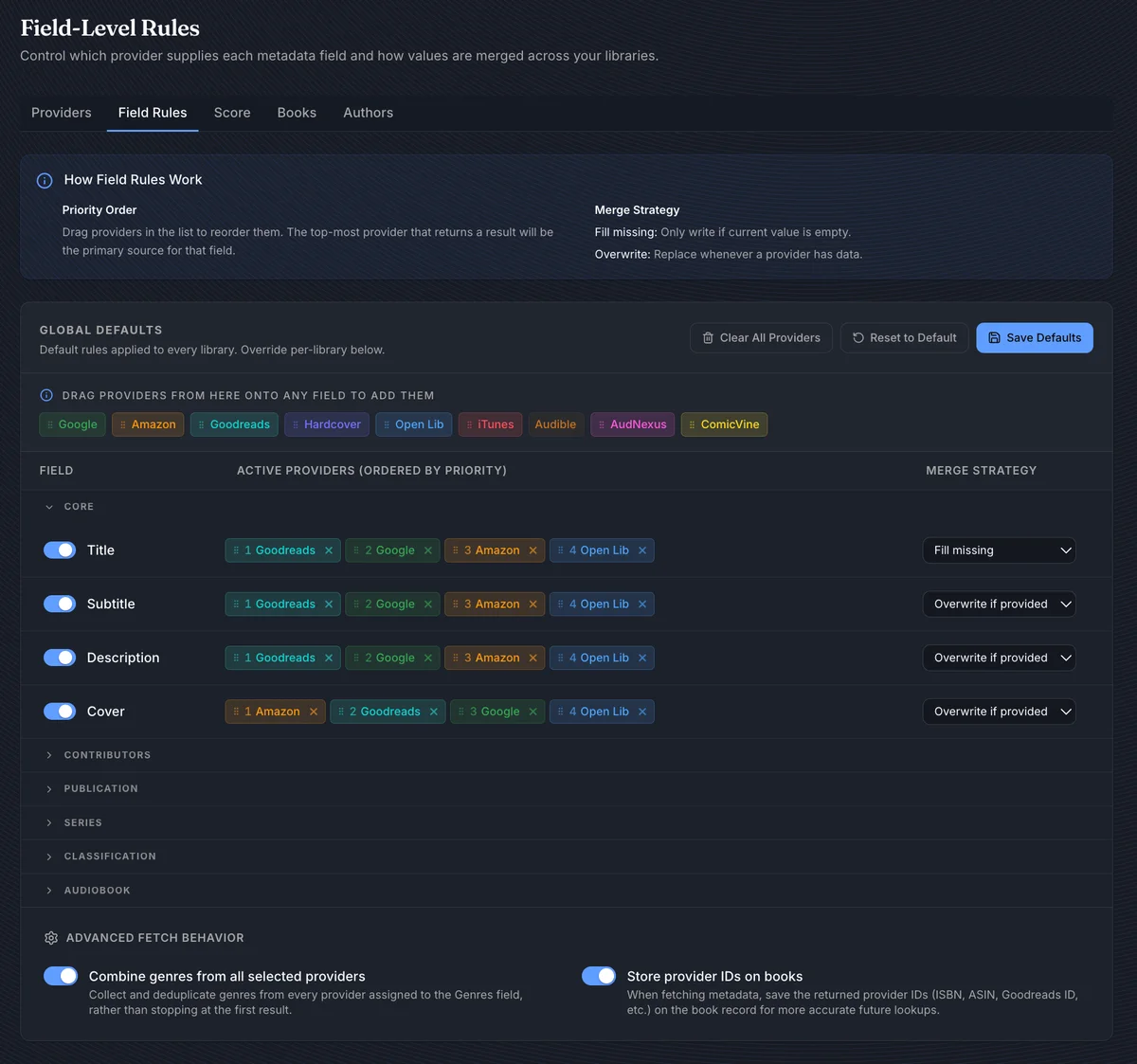
Field Rules control exactly what BookOrbit does with each metadata field. Each field row has three controls:
- An enable toggle - when off, that field is never written regardless of other settings
- A provider priority list - drag providers in from the reservoir at the top, then drag within the row to reorder. The first provider that returns a value wins.
- A merge strategy:
| Strategy | Behavior |
|---|---|
| Fill missing | Writes only when the field is currently empty |
| Overwrite if provided | Replaces the existing value when a provider returns something |
| Always overwrite | Always replaces, no matter what |
Title defaults to Fill missing to protect manual edits.
Covers have two rules, one per kind of cover. Book cover fills the portrait cover of ebooks, comics and PDFs, and defaults to Amazon and iTunes first, since they tend to have better images. Audiobook cover fills the square cover of audiobooks, and defaults to Audible, Libro.fm and iTunes first. A book with both an ebook and an audiobook runs both rules; a book with one kind of file runs only its own. For the second cover of such a book, iTunes and Hardcover are asked again for their audiobook (or book) edition, and anything they return must describe the same book.
A fetched cover is checked before it is saved. When an image is too small or the wrong shape, BookOrbit tries the next provider’s cover. A wrong-shape image never replaces a cover the book already has; it only fills an empty one. Make first everywhere and Make last everywhere leave the Audiobook cover order alone, so audiobook sources stay first.
An upgraded install starts its Audiobook cover rule from the old Cover rule: if you had turned cover fetching off or chosen Fill missing, that carries over.
Two options below the field table are worth enabling for most setups:
- Combine genres from all providers - merges genres across every enabled provider instead of stopping at the first result
- Store provider IDs - saves external identifiers (Google Books ID, Goodreads ID, ASIN, etc.) on each book, making future fetches more accurate
Library overrides
Section titled “Library overrides”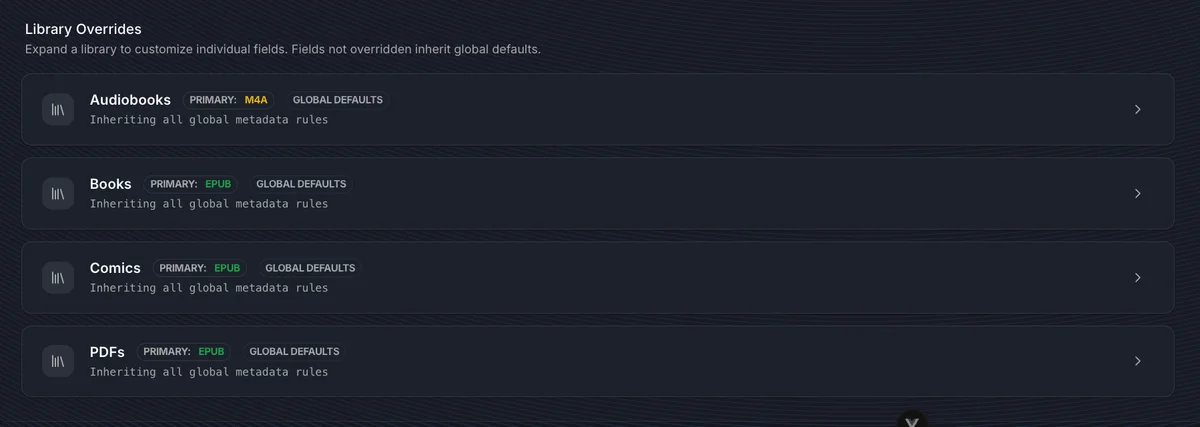
Libraries inherit the global defaults. Expand a library’s panel to override individual fields - only those fields diverge; everything else continues to inherit. Each overridden field has a Revert button.
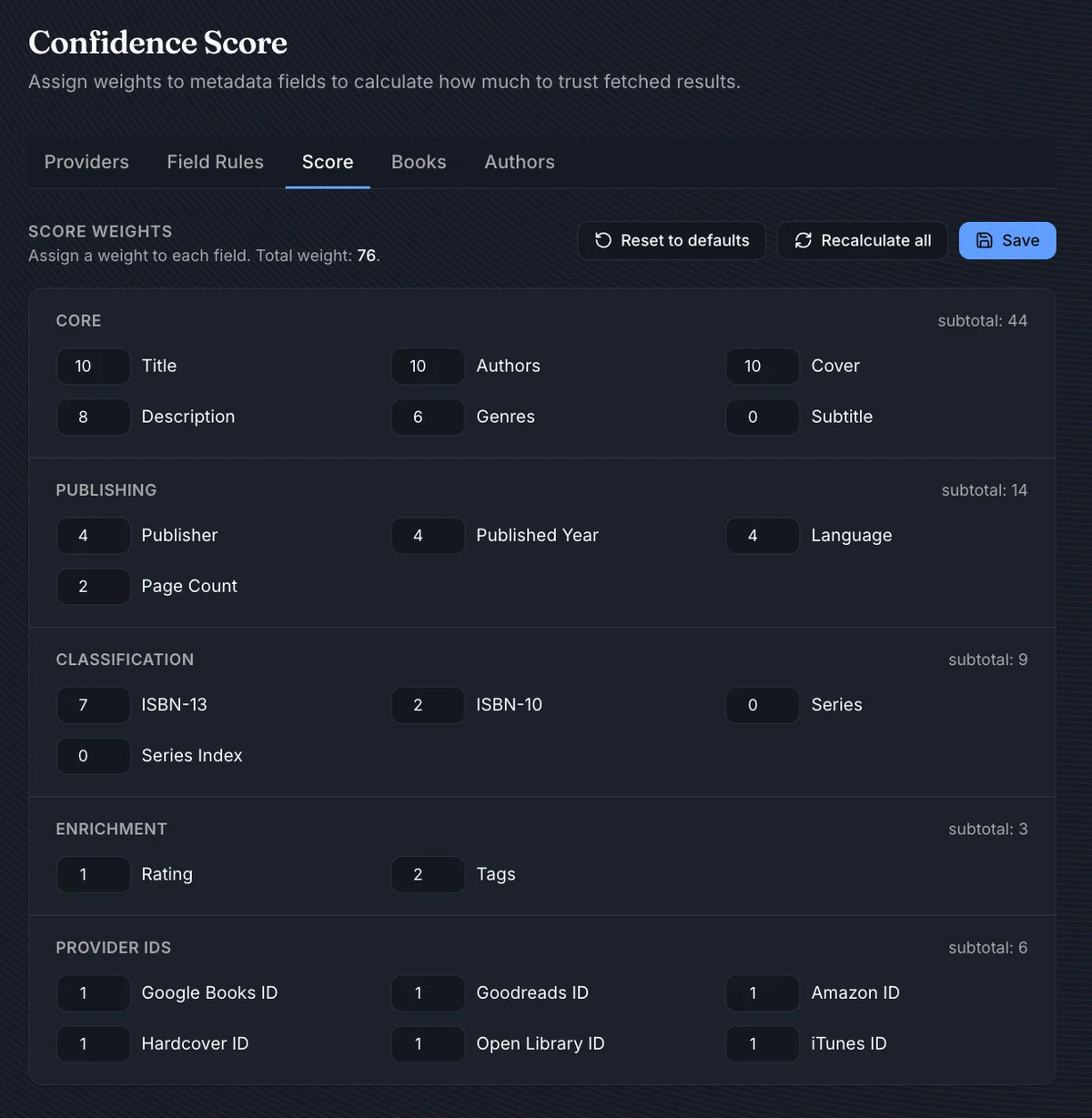
Every book gets a completeness score from 0 to 100. It shows on book cards as a quality indicator and is what auto-fetch uses to decide which books need attention.
By default, title, authors, and cover carry the most weight (10 each; either cover counts), followed by description (8), ISBN-13 (7), and genres (6). Publisher, year, language, and page count contribute modestly. Series, subtitle, and series index are 0 by default - they’re tracked but never penalize the score. You can adjust any weight directly in the UI.
After adjusting weights, Recalculate all updates every book in the background. Score weights are global - there are no per-library overrides.
Auto-Fetch
Section titled “Auto-Fetch”Auto-fetch keeps your library’s metadata current without manual effort. There are two independent pipelines: one for books, one for authors.
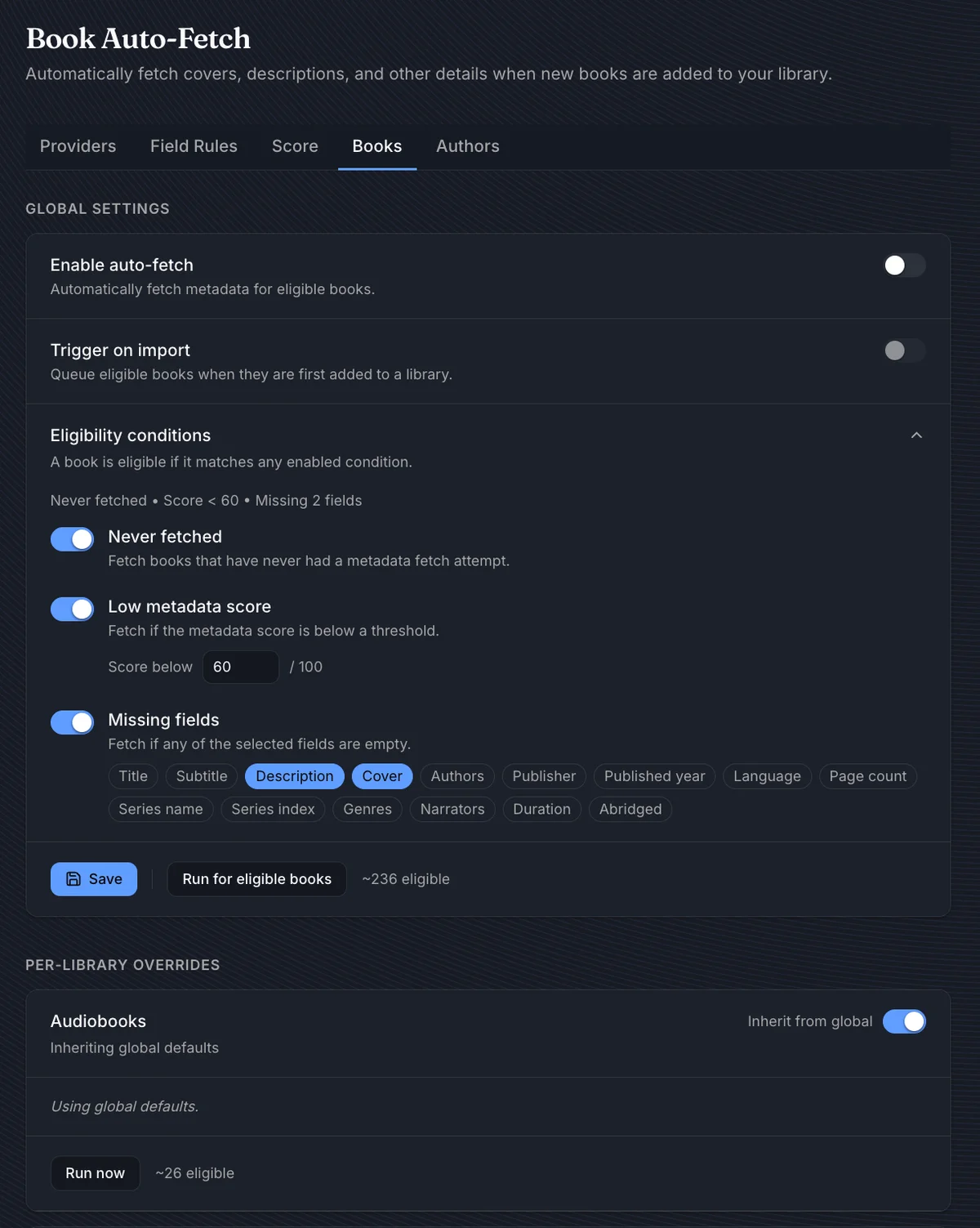
When enabled, Trigger on import queues a book for metadata the moment it enters a library. A book is eligible if it matches any active condition:
| Condition | Default threshold |
|---|---|
| Never fetched | - |
| Low score | Below 60 |
| Missing fields | Description, Cover |
Cover means the book has no cover at all. Audiobook cover is also available: it picks out books with audio, or a read-along EPUB, that have no Audiobook cover yet. It is off by default because it sends an Audible request for every such book.
Run for eligible books queues all qualifying books immediately - useful for a first-time enrichment pass or after tightening the conditions. The button shows an estimated count as you adjust.
Each library can diverge from global. Expand its panel and turn off Inherit from global to give it its own eligibility rules, a Run now button, and last-run stats.
Authors
Section titled “Authors”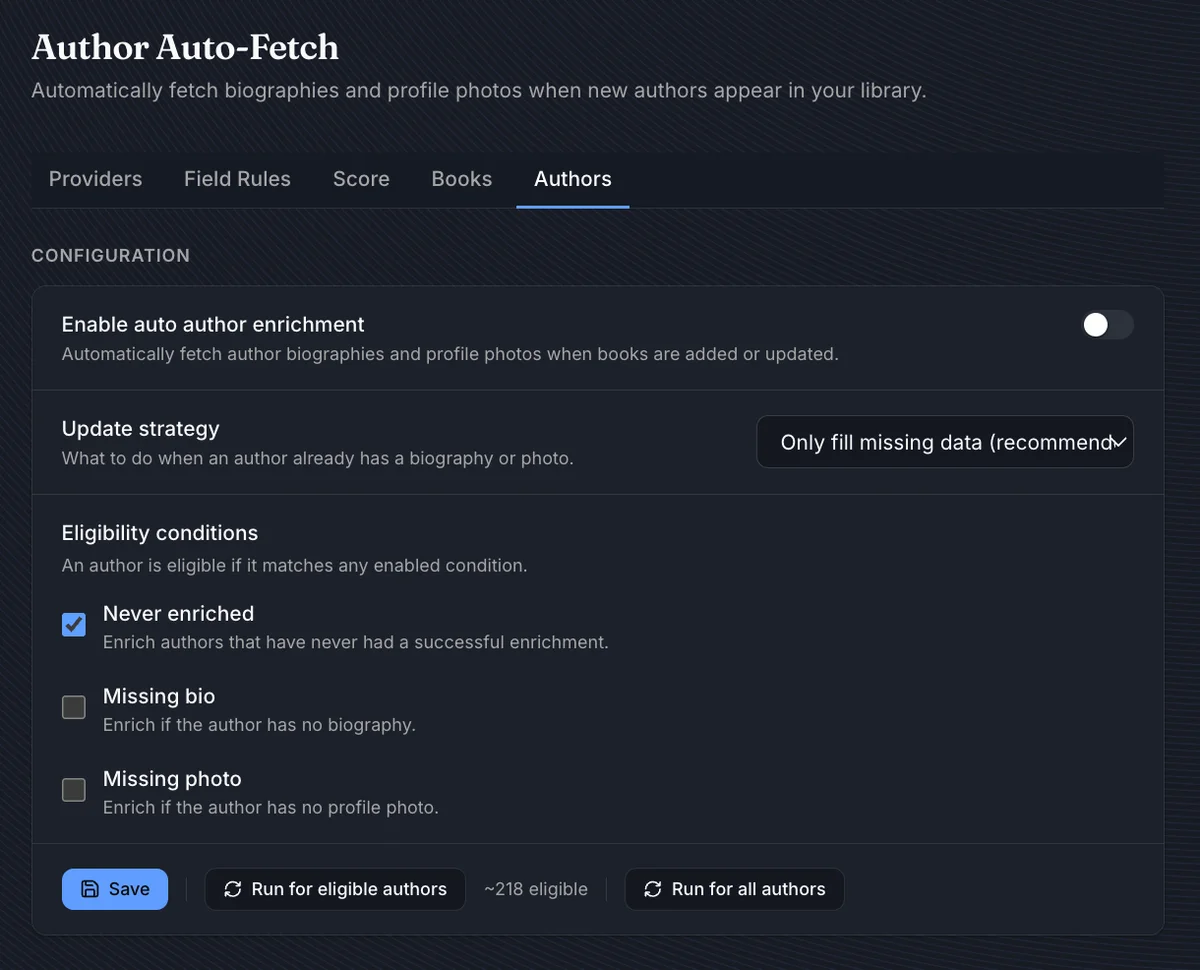
Author enrichment fetches biographies and profile photos via AudNexus. When enabled, Trigger on import enriches new authors as books are added.
| Update strategy | Behavior |
|---|---|
| Only fill missing (recommended) | Skips fields the author already has |
| Always refresh | Overwrites biography and photo unconditionally |
Eligibility follows the same pattern: conditions for never-enriched authors, those missing a bio, or those missing a photo. Run for all authors ignores conditions and queues everyone.
Per-book controls
Section titled “Per-book controls”Individual books have their own controls on the Edit Metadata tab: Search online, Auto-fill, Load from file, Field locks, and Write to File & Rename. See Book Details & Viewer for the full per-book workflow including cover editing and provider comparison.
Write to File & Rename is the only one of those that modifies files on disk, and it overrides the library’s automatic write-back and rename settings by design. See the caution on Book Details & Viewer before using it on a managed folder tree.
While a fetch queue is running, a status widget in the bottom-right corner shows the current book and overall progress, with Pause, Resume, and Cancel controls.